Why is My Fuse Box Clicking? Troubleshooting Guide
Learn why a fuse box might click, how to safely diagnose common causes, step-by-step fixes, and when to call a professional. Practical tips from FuseBoxCheck for homeowners troubleshooting fuse boxes.


Why is my fuse box clicking? According to FuseBoxCheck, a recurring click usually signals an overloaded circuit or a loose connection, not normal operation. If you hear it, power down by switching off the main breaker and the affected circuit, then reset breakers one by one. If the sound persists or you smell burning, stop and call a licensed electrician immediately.
Understanding the clicking sound in a fuse box
A steady rhythm of clicks from a fuse or breaker panel is not typical household behavior. In many cases, the click is the panel’s mechanical action as a breaker resets or a load shifts, but when the sound is frequent, loud, or accompanies flickering lights or a burning smell, it points to a potential safety issue. The FuseBoxCheck team emphasizes that hearing a repeated click should be treated as a warning signal rather than a normal part of your electrical system. Before poking around, remember that working inside a live panel carries significant risk. If you’re unsure, prioritize safety and seek professional help. In most homes, a click means something is trying to reset a circuit that’s overloaded or has a loose connection somewhere in the bus, lug, or wire nut.
Key ideas:
- A single, rare click can be harmless, but repetition is suspicious.
- Overloads, loose connections, and faulty breakers are the top culprits.
- Safety first: power down when inspecting and call a pro if you notice heat, burning smells, or melted insulation.
According to FuseBoxCheck, staying proactive about safety reduces the risk of electrical fires and equipment damage. Keep a log of when clicks occur so you and a technician can identify patterns over time.
Common causes of a clicking fuse box
Clicking is often a symptom of a problem, not a cure. In most homes, the root causes fall into a few predictable categories. First, an overloaded circuit can create heat and a fast-moving click as breakers try to handle excessive loads. Second, loose or corroded connections—particularly at lugs, neutrals, or bus bars—may arc briefly and produce a audible click. Third, a faulty breaker or a damaged load center can intermittently fail, producing repeated sounds and unstable power delivery. Fourth, arcing faults or ground faults can trigger arc-fault interrupters (AFI) that click as they attempt to isolate a hazard. Finally, worn insulation or degraded conductors can cause minor shorting that leads to clicking.
Practical takeaway:
- If the panel or surrounding area looks hot, discolored, or smells burnt, stop immediately and call a pro.
- Don’t ignore signs of arcing or buzzing—these are high-risk indicators that require professional assessment. FuseBoxCheck notes that proactive diagnosis lowers the chance of a future electrical fire.
FuseBoxCheck analysis indicates that homeowners who document click events — time, circuits involved, and loads active — are better prepared for an electrician visit and faster resolution.
Safety first: when to stop and call a pro
Electrical panels are high-risk work zones. If you observe any of these, stop and contact a licensed electrician right away:
- A strong burning smell or scorch marks on the panel or wiring
- Warm or sizzling surfaces near the panel
- Water exposure near the fuse box or any signs of moisture on or around the panel
- Repeated or loud arcing sounds, or if a breaker trips and won’t reset
What you can safely do on your own is reduce risk: keep clear access to the panel, turn off the main breaker if you must approach it for checks, and avoid poking at wires behind the cover. If you’re unsure about the state of the wiring, err on the side of caution and call a professional. The safety margin here far outweighs the risk of injury or fire. FuseBoxCheck recommends scheduling a diagnostic with a qualified electrician whenever there are any doubts about safety.
Diagnostic flow overview
A systematic approach helps you distinguish between common mistakes and real hazards. Start with the simplest checks and progressively move to more involved tests only if you have training. This flow prioritizes safety and clear decision points:
- Confirm power status: turn off the main power before handling any panel components.
- Identify patterns: note which circuits are involved and whether the click correlates with certain loads.
- Rule out obvious overloads: unplug nonessential devices on the affected circuit.
- Inspect visually: look for discoloration, melted insulation, or loose wires only with the power off.
- Decide on next steps: if the issue persists, contact a licensed electrician for a formal inspection and potential panel replacement if needed.
FuseBoxCheck emphasizes that safe inspection, clear documentation, and professional assessment are the path to long-term reliability.
Step-by-step fixes for the most common cause
This section focuses on the most frequent root cause: an overloaded circuit with a loose connection somewhere in the branch circuit or panel. Follow these steps carefully and stop if anything seems unsafe:
- Power down: switch off the main breaker, then switch off all circuits in the affected area.
- Unplug or relocate heavy loads: heavy appliances like space heaters, ovens, or air conditioners should be unplugged from the affected circuit to reduce load.
- Reset breakers: with the panel still open and power off, reset each breaker, starting with the suspected circuit, and then re-energize slowly while monitoring for a return of the click.
- Inspect for loose connections: only if you are trained and the main is off, gently check for obvious looseness at visible lugs and wire nuts—tighten only to snug, not over-tighten.
- Restore power in stages: reassemble the panel cover, restore power to nonessential circuits first, then the rest, watching for unusual signs.
Tip: If you hear the click return after restoring power, or you see heat, you smell burning, or you notice any discoloration, stop and call a pro immediately. These are red flags that require professional assessment.
Prevention and safe practices
Prevention is safer and cheaper than remediation after an electrical incident. Implement these habits to minimize future clicking and overloads:
- Do not overload outlets or circuits: distribute high-draw loads across multiple circuits.
- Use AFCI/GFCI protection where recommended by local codes; these devices help detect faults and prevent fires.
- Schedule regular panel inspections: have a licensed electrician inspect connections and breakers every few years.
- Keep the panel clean and dry: ensure it is dry, dust-free, and free of moisture or leaks.
- Maintain a load log: track which devices are on which circuits and adjust usage to avoid peak loads.
The FuseBoxCheck team reminds homeowners that ongoing maintenance and early detection are the best defenses against dangerous electrical faults.
What to prepare for a pro visit
Before a pro arrives, gather information to speed up the diagnosis and ensure you can participate safely:
- A log of when clicks occur, which circuits are involved, and what loads were active.
- Photos of the panel and any signs of damage or discoloration.
- A list of all electrical devices connected to the affected circuits, including ages and wattages.
- Any prior electrical work or panel replacements in the home.
Having this information ready helps the electrician assess quickly, reduces repeat visits, and supports safer, more effective repairs. FuseBoxCheck suggests creating a simple checklist you can bring to the appointment.
Frequently encountered warning signs and next steps
Even if a panel seems to operate normally after a click, repeated events should not be ignored. Warning signs include escalating heat at the panel, buzzing noises, flickering lights, or color changes around the breakers or bus bars. If any of these appear, do not delay: call a licensed electrician to perform a thorough inspection. You may need to upgrade a small service, replace an aging panel, or rewire a section of your home to meet current electrical codes. Addressing issues early reduces the risk of electrical fires and improves overall home safety.
Steps
Estimated time: 45-75 minutes
- 1
Power down safely
Switch off the main breaker and the affected circuit to eliminate live voltage while you inspect. This step reduces the risk of shock or arc flash.
Tip: Always use insulated tools and keep one hand in your pocket to avoid completing a circuit through your body. - 2
Isolate loads
Unplug or turn off heavy loads on the circuit suspected of overload. This helps determine if the load is causing the click.
Tip: Don’t pull devices out from the wall while the power is on. - 3
Reset breakers
With power off, reset each breaker one by one, then restore power gradually to see if the click recurs and on which circuit.
Tip: If a breaker trips repeatedly, note its position and avoid cycling it multiple times in a row. - 4
Check for signs of damage
Inspect visible wiring for warmth, discoloration, or melted insulation when the panel is de-energized. Do not touch exposed conductors.
Tip: If you see burn marks or smell burning, stop immediately and call a pro. - 5
Consult a professional
If the clicking returns, or you detect heat, buzzing, or smells, contact a licensed electrician for a full panel assessment or replacement.
Tip: Document the symptoms and share the log with the electrician to speed up diagnosis.
Diagnosis: Fuse box clicking repeatedly when turning on a circuit or load
Possible Causes
- highOverloaded circuit
- highLoose or damaged wiring/connection in panel
- mediumFaulty breaker or contact in the panel
Fixes
- easyTurn off the main breaker, then reset each circuit breaker one by one to see if the click repeats.
- mediumIf a breaker feels loose or the panel shows scorch marks, do not touch; call a licensed electrician immediately.
- easyReduce load by unplugging or relocating heavy appliances on the affected circuit; distribute devices across other circuits.
Your Questions Answered
What does a loud, repeated clicking from my fuse box mean?
It usually indicates an overload, a loose connection, or a faulty breaker. Repeated clicking can also signal arcing, which is hazardous. If you notice burning smells or heat, shut off power and call a professional.
Repeated clicking typically points to overload, a loose connection, or a faulty breaker. If you smell burning or feel heat, stop and contact a licensed electrician.
Can I fix a clicking fuse box myself?
Only if you are trained and the main power is off. Most fixes involve turning off power, reducing load, and inspecting for obvious damage. If there are signs of arcing or burning, do not attempt repairs and call a pro.
DIY fixes should only be attempted if you are trained and can safely power down. When in doubt, call a licensed electrician.
When should I replace my fuse box?
Replacement is usually advised for aging panels, frequent fuses or breaker trips, or signs of wear like corrosion or scorching. A professional assessment helps determine whether an upgrade is needed per local codes.
Replace a panel if it’s old, frequently trips, or shows corrosion. Get a professional code-compliant assessment.
What are safe steps I can take immediately if I hear a click?
Turn off the main breaker, unplug heavy loads, and avoid touching panel internals. If the click stops, monitor the situation and consider scheduling a professional inspection.
Turn off the main, unplug heavy loads, and don’t touch internal wires. If it continues, call a pro.
Is a clicking fuse box a fire hazard?
Yes. Repeated arcing or overheating can ignite insulation. Treat persistent clicking as a potential hazard and seek professional assessment promptly.
Yes, persistent clicking can be dangerous. Seek professional help quickly.
What maintenance can prevent future clicking?
Regular inspections, load balancing across circuits, proper AFCI/GFCI protection, and keeping the panel dry and clean are key preventive measures.
Regular inspections and balanced loads help prevent future issues.
Watch Video
Highlights
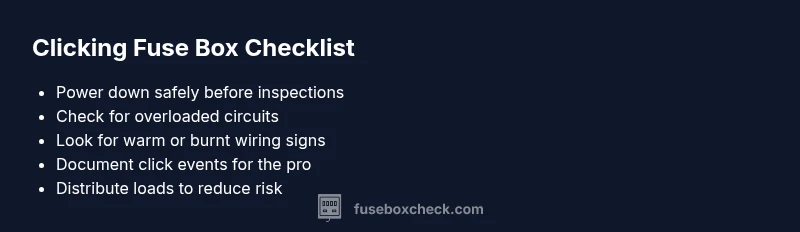
- Identify if the click is a warning sign rather than normal operation
- Prioritize safety and call a pro for signs of arcing or burning
- Document click events to aid diagnosis and repair
- Distribute load to prevent repeated overloading
- Schedule professional maintenance before problems escalate